Follow the work
Describe where payments happen: at a table, in a booth, or at a customer’s location. Your environment shapes the discussion about portability and connectivity.

WAYTRIX / PAYMENT ACCEPTANCE
Explore portable acceptance for tableside service, events, and work away from the counter.
Talk through your requirementsTHE SHORT ANSWER
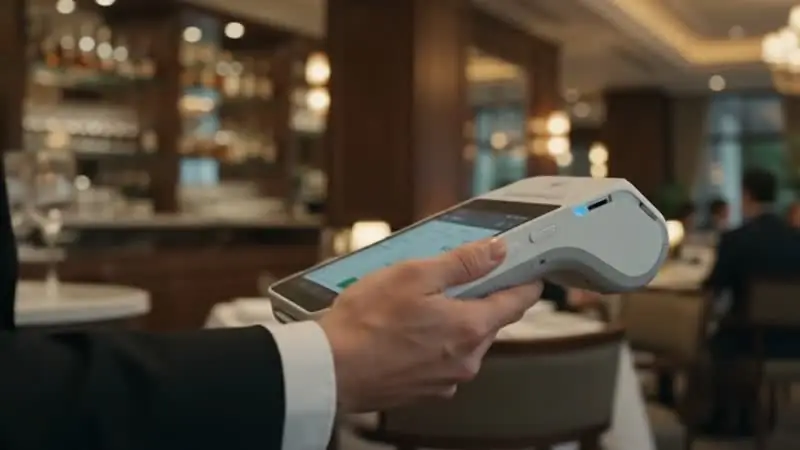
Mobile payments let a business accept cards and digital wallets away from a fixed counter, using a handheld terminal or a card reader paired with a phone or tablet. They suit tableside service, deliveries, events, and on-site work. Key considerations are Wi-Fi or cellular coverage, battery life, receipts, and whether devices connect to your main POS.
KEY TAKEAWAYS
GO DEEPER
FOLLOW THE EXPERIENCE
THE DETAILS BEHIND THE DECISION
Describe where payments happen: at a table, in a booth, or at a customer’s location. Your environment shapes the discussion about portability and connectivity.
Ask about charging, connectivity, receipts, and device handling. Check the setup in the locations where staff will actually use it.
Decide who carries the device, who can issue refunds, and where the equipment is stored between shifts.
MAKE AN INFORMED CHOICE
Start with the workflow you need. Confirm the details of a proposed solution before committing.
Talk through your options| Approach | Use case | What to confirm |
|---|---|---|
| 01Phone and reader | Occasional or on-site payments | Phone compatibility and connection |
| 02Dedicated handheld | A shared device across a shift | Battery, charging, user access |
| 03Tableside POS | Orders and payments at the table | Order routing and restaurant software |
Take payment tableside, curbside, or anywhere on the sales floor.
Choose connectivity that works where your team actually goes.
Send receipts by email or text when a printer is not practical.
Plan charging around your longest shifts and busiest periods.
FREQUENTLY ASKED
Some use Wi-Fi only and others include cellular connectivity. Your locations decide which fits best.
Many handhelds work with a main POS system. Confirm compatibility for your software and hardware.
Modern terminals encrypt card data. Ask the provider how data is protected on the device and in transit.