Start at the counter
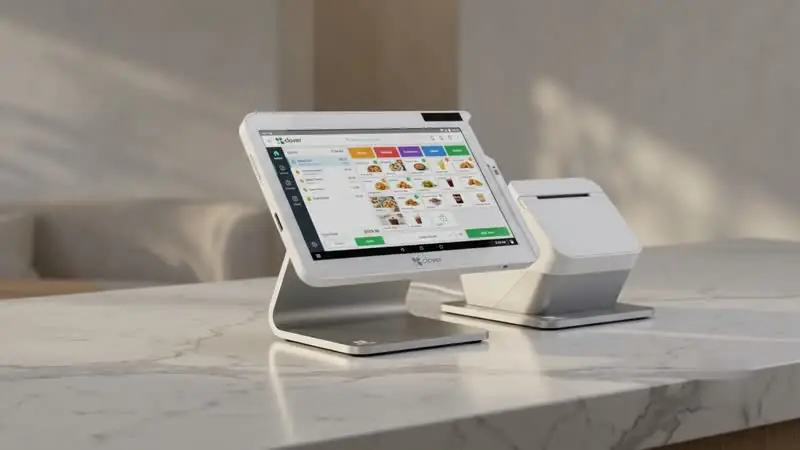
Measure the available space and consider whether customers need their own display. Walk through receipts, tips, refunds, and the handoff between staff.

WAYTRIX / PAYMENT ACCEPTANCE
Explore countertop terminals and connected POS systems for face-to-face transactions.
Talk through your requirementsTHE SHORT ANSWER
To accept card payments in store you need a merchant account or payment provider and a device that accepts chip, contactless, and mobile wallet payments, either a standalone terminal or a full POS system. Choose based on counter space, whether you need inventory and staff tools, connectivity, and how you handle tips, receipts, and refunds.
KEY TAKEAWAYS
GO DEEPER
FOLLOW THE EXPERIENCE
THE DETAILS BEHIND THE DECISION
Measure the available space and consider whether customers need their own display. Walk through receipts, tips, refunds, and the handoff between staff.
Document power, internet, and wireless coverage. Ask the proposed provider to explain what happens during an outage before choosing a configuration.
Plan a short staff training session around your busiest workflows and make support instructions easy to find.
MAKE AN INFORMED CHOICE
Start with the workflow you need. Confirm the details of a proposed solution before committing.
Talk through your options| Approach | Use case | What to confirm |
|---|---|---|
| 01Standalone terminal | Keep an existing register | How totals are entered and reconciled |
| 02Connected POS | Manage orders and checkout together | Software, peripherals, staff permissions |
| 03Portable checkout | Take payment around the premises | Coverage, charging, receipt workflow |
From a single terminal to a connected station with inventory and reporting.
Accept tap-to-pay cards and digital wallets alongside chip and swipe.
Let customers see totals, add tips, and choose receipts themselves.
Ask what happens when the internet drops and how offline payments are handled.
FREQUENTLY ASKED
If you only need to take payments, a terminal may be enough. If you track inventory, staff, or orders, a POS system usually fits better.
Most modern terminals accept contactless wallets. Confirm supported methods for the specific device proposed.
Some devices can store transactions offline for a limited time. Ask about limits and risks before relying on it.