
THE WAYTRIX FIELD GUIDE

Hardware selection beyond the specification sheet.

Specifications tell you what a device can do. Your counter, your staff, and your customers tell you what it needs to do.

PAYMENTS IN MOTIONHardware selection beyond the specification sheet.

THE SHORT ANSWER

Choose POS hardware by matching it to your physical space and daily workflow: measure the counter, decide where customers interact, confirm power and connectivity, list required peripherals such as scanners, scales, printers, and cash drawers, and check durability, accessibility, and replacement support. Then decide whether to buy, lease, finance, or rent.

Updated · Waytrix Pay editorial team

KEY TAKEAWAYS

  • Measure the counter and plan where customers will tap, insert, or sign.
  • Confirm power, Wi-Fi, and wired network availability at each station.
  • List every peripheral and confirm compatibility in writing.
  • Ask how failed devices are replaced and how quickly.

STEP BY STEP

How to approach it.

  1. 01

    Survey your space

    Counter depth, customer reach, outlets, network ports, and traffic flow.

  2. 02

    Choose the form factor

    Countertop station, compact terminal, handheld, kiosk, or a combination.

  3. 03

    Match peripherals

    Scanners, scales, receipt and kitchen printers, cash drawers, and customer displays.

  4. 04

    Plan for failure

    Backup devices, offline payments, and replacement timelines.

Form factors and where they fit

Each device type solves a different problem.

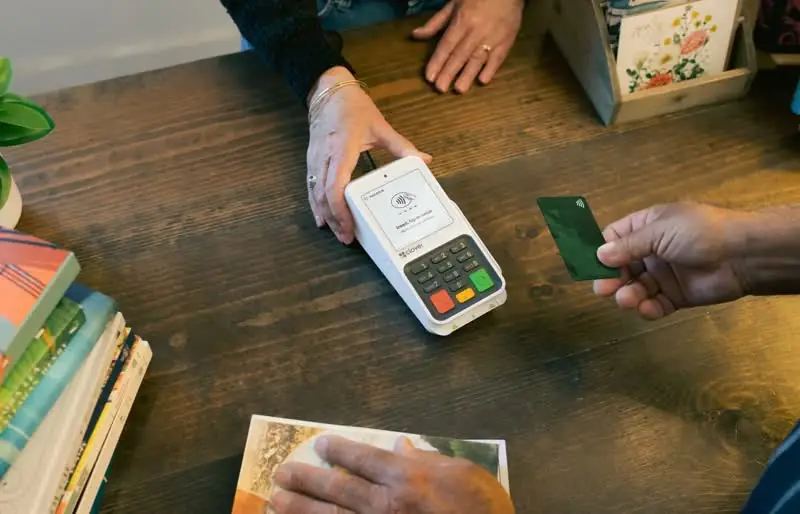
  • Countertop stations: full POS with customer-facing display for busy counters
  • Compact terminals: payments-focused devices for small counters
  • Handhelds: tableside, line-busting, and on-site payments
  • Kiosks: self-ordering to shorten lines
  • Kitchen displays: order routing that replaces paper tickets

Durability and environment

Kitchens, outdoor markets, and garages are hard on devices. Ask about spill resistance, drop protection, operating temperatures, and cases or mounts.

Accessibility at the point of sale

Consider screen height, tactile keypads, audio prompts, and whether customers using wheelchairs can reach the payment device. A swivel or handheld option often helps.

Total cost of ownership

Include accessories, installation, software subscriptions, protection plans, and replacement devices. Compare buying, leasing, financing, and renting over the years you expect to use the hardware.

FREQUENTLY ASKED

Questions businesses ask.

Can I reuse my existing scanner or printer?

Possibly. Peripheral compatibility depends on the POS system and connection type. Confirm each device before switching.

Do I need a customer-facing display?

It helps customers confirm totals, add tips, and choose receipts, and it can speed up checkout. Many stations include one.

What happens if a device breaks?

Ask about warranty, protection plans, and replacement shipping times, and consider a backup device for critical stations.